
Misfit2.20.0 - App Store
You'll be able to see results in few seconds.
Publisher Description

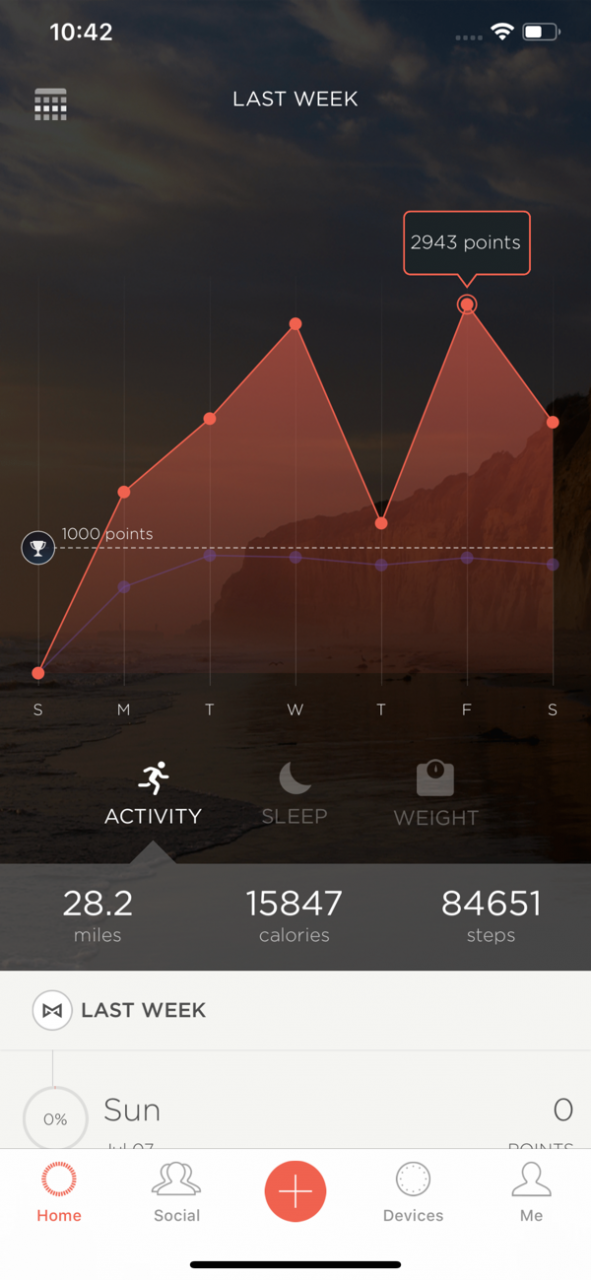

The Misfit app is an easy-to-use fitness and sleep tracking app that drives Misfit’s suite of design-forward fitness trackers and smartwatches, including Misfit Vapor, Command, Path, Phase, Ray, Shine 2, Flash, and Shine. Beautiful and durable, all Misfit devices are swimproof and the fitness trackers never require charging (batteries can last up to 12 months depending on device).
This app requires an iPhone 4S or newer. For product setup information and tutorials, including videos, visit: www.misfit.com/go
What our customers say:
“Used my Misfit Shine for over 10 months and it’s still a fun motivating gadget that doubles as a watch for me (and I lost 20 lbs).”
“Beautiful and easy to use.”
“The auto sleep tracking feature is amazingly accurate as is the activity tracking.”
“Interface is detailed but easily read and transfers to MyFitnessPal seamlessly.”
“I am an avid swimmer. This is the only wellness tracking device that is truly waterproof and provides so much functionality.”
“Beautiful and intuitive. Misfit updates it frequently and truly listens to user ideas.”
“Great customer service and support.”
“I love that I can wear my Misfit 24/7 without worrying about charging it or taking it off to shower.”
“I never want to be without my Shine ever again...A MUST have activity tracker. LOVE my Shine!”
Use the Misfit app to access these features:
- View detailed activity and sleep data (trackers only), including steps taken, distance traveled, calories burned, hours slept
- Set up and receive notifications from your smartphone, including calls, text messages, and more
- Create a goal and track your progress over time; view trends, including your activity levels over the course of the day, week, or month
- Get lifetime insights on your profile, including total miles walked and average sleep
- Log activity sessions including running, walking, basketball, tennis, swimming, soccer, cycling, yoga, and dance
- Add friends and compare your daily activity
- Track your food with a photo food journal
- Connect with your other favorite fitness, health, and smart home apps including Apple Health, MyFitnessPal, Lose it!, RunKeeper, MapMyFitness, IFTTT, Nest, and more
- Shine 2 and Ray only: Enable a silent vibe alarm on your wearable to gently wake you up in the morning
The app also supports Swarovski Activity Crystal, Speedo Shine. Don’t have a Misfit yet? Get yours now at misfit.com.
Misfit designs smartwatches and fitness + sleep trackers. Misfit brand products include Misfit Vapor, Command, Path, Phase, Ray, Shine 2, and Shine and are available at misfit.com and fashion and consumer electronic retailers around the world.
For product setup information and tutorials, including videos, visit: www.misfit.com/go
Find us on Instagram @MisfitWearables and Twitter @Misfit.
Nov 19, 2019 Version 2.20.0
- Bug fixes and performance improvements
About Misfit
The company that develops Misfit is MISFIT WEARABLES CORPORATION. The latest version released by its developer is 2.20.0.
To install Misfit on your iOS device, just click the green Continue To App button above to start the installation process. The app is listed on our website since 2019-11-19 and was downloaded 0 times. We have already checked if the download link is safe, however for your own protection we recommend that you scan the downloaded app with your antivirus. Your antivirus may detect the Misfit as malware if the download link is broken.
How to install Misfit on your iOS device:
- Click on the Continue To App button on our website. This will redirect you to the App Store.
- Once the Misfit is shown in the iTunes listing of your iOS device, you can start its download and installation. Tap on the GET button to the right of the app to start downloading it.
- If you are not logged-in the iOS appstore app, you'll be prompted for your your Apple ID and/or password.
- After Misfit is downloaded, you'll see an INSTALL button to the right. Tap on it to start the actual installation of the iOS app.
- Once installation is finished you can tap on the OPEN button to start it. Its icon will also be added to your device home screen.
Program Details
System requirements
Download information
Pricing
Version History
version 2.20.0
posted on 2019-11-19
19. Nov. 2019 Version 2.20.0
- Bug fixes and performance improvements
version 2.20.0
posted on 2019-11-19
Nov 19, 2019 Version 2.20.0
- Bug fixes and performance improvements
version 2.12.2
posted on 2012-11-02
version 2.20.0
posted on 1970-01-01
2019年11月19日 Version 2.20.0
- Bug fixes and performance improvements
Disclaimer
Official App Store Link
We do not host Misfit on our servers. We did not scan it for viruses, adware, spyware or other type of malware. This app is hosted by Apple and passed their terms and conditions to be listed there. We recommend caution when installing it.
The App Store link for Misfit is provided to you by apps112.com without any warranties, representations or guarantees of any kind, so access it at your own risk.
If you have questions regarding this particular app contact the publisher directly. For questions about the functionalities of apps112.com contact us.
